Parametric CAD for iPad

Precision
you can draw.

Sketch with Apple Pencil, steer with your fingers and build real parts – with a full feature history you can change at any time. From the first line to STEP, STL and G-code.

Coming soonApp Store for iPad Explore the features

iPad with iPadOS 18 or later · Apple Pencil recommended, not required

Parametric historyConstraint solverExtrudeRevolveSweepLoftFilletChamferShellISO threadsHolesDraftMove faceGearsBolts & nutsSheet metalSnap fitsFree-formSurfacesMesh repairAssembliesJointsMotion studyExploded viewSectionX-rayRenderAR2D drawingsGD&T3D printingStress analysisGenerative designCNC millingCNC turningG-codePCB boardsSTEPSTL3MF
Free-formSurfacesMesh repairAssembliesJointsMotion studyExploded viewSectionX-rayRenderAR2D drawingsGD&T3D printingStress analysisGenerative designCNC millingCNC turningG-codePCB boardsSTEPSTL3MFParametric historyConstraint solverExtrudeRevolveSweepLoftFilletChamferShellISO threadsHolesDraftMove faceGearsBolts & nutsSheet metalSnap fits
21Sketch tools
60+3D operations
156Features in total
9Export formats
0Bytes of your data collected
Stylus and touch

The Pencil creates.
Your fingers steer.

No mouse, no menus to dig through. Draw a rectangle, type 40 × 30, pull it up into a solid – in seconds.

  • Draw with Apple PencilFreehand strokes become lines, arcs and circles. Snap to points, midpoints and intersections.
  • Navigate with your fingersOne finger turns the view, two fingers pan and zoom. Tap with two fingers to undo, three to redo.
  • Exact when it mattersType values on a built-in keypad – with units, parameters and expressions like wall*2.
  • No Pencil? No problemTurn on Draw with finger and one finger draws while two move the view.
Everything a part needs

A grown-up CAD.
In your hands.

Pyrite CAD is not a toy modeller. It is a parametric tool for parts that get printed, milled and assembled.

Sketch

Sketches that keep their shape.

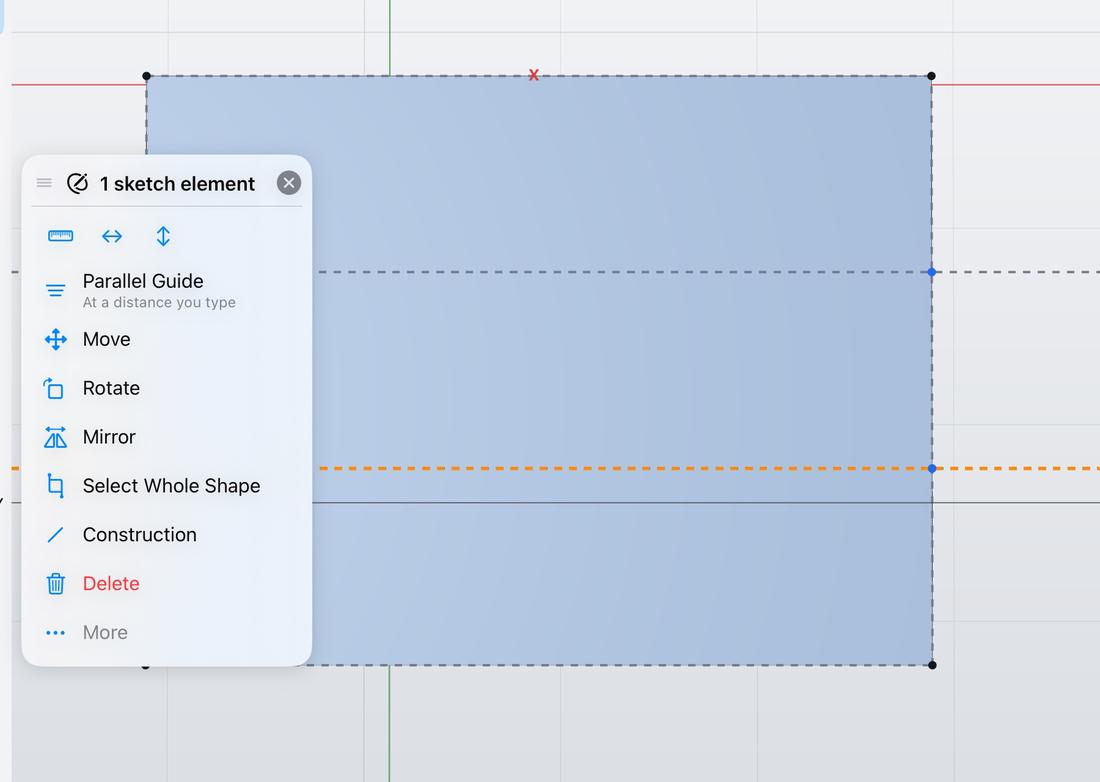
Lines, rectangles, circles, arcs, slots, polygons, ellipses, splines and text. Dimensions and constraints with a real solver, trim, extend, offset, mirror and patterns – and sketch on any face, with its edges as references.

A sketch on a face with a context menu offering Parallel Guide, Move, Rotate and Mirror
Solids

Push, pull, done.

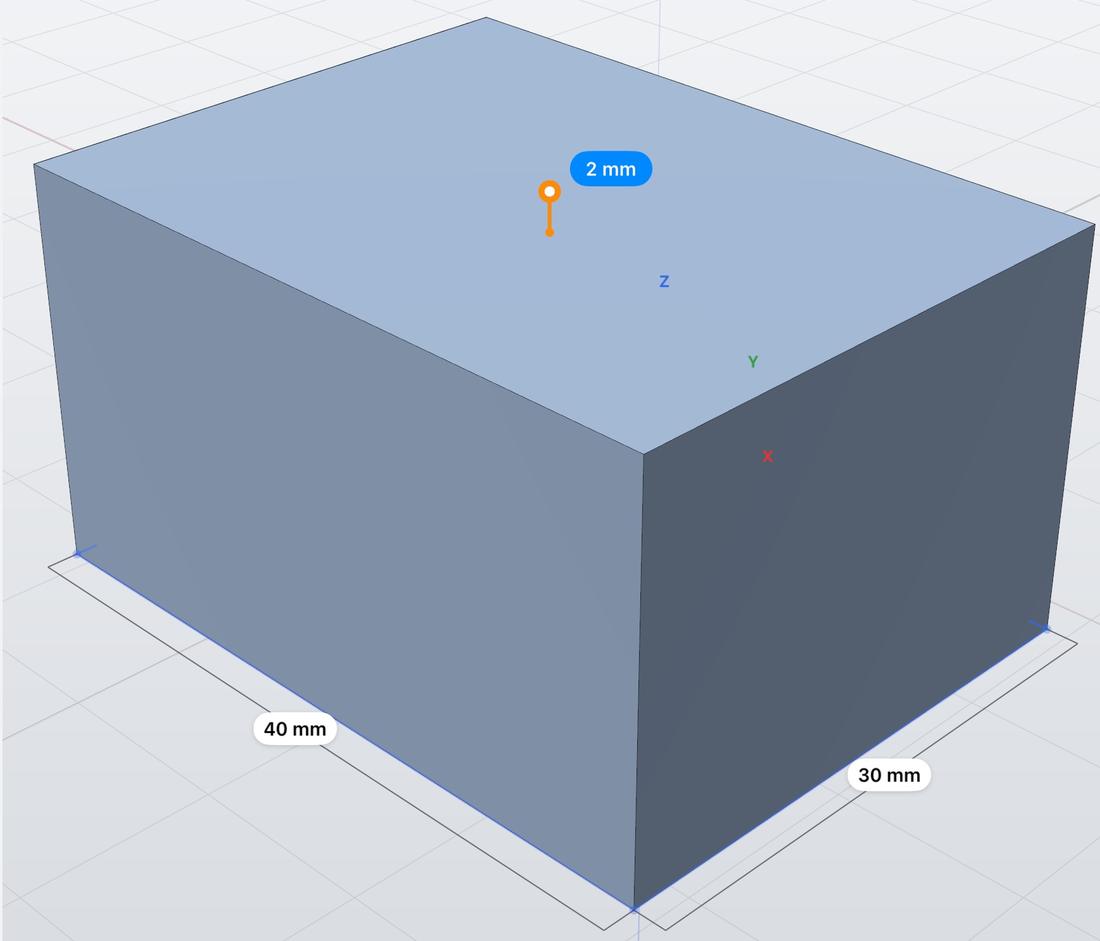
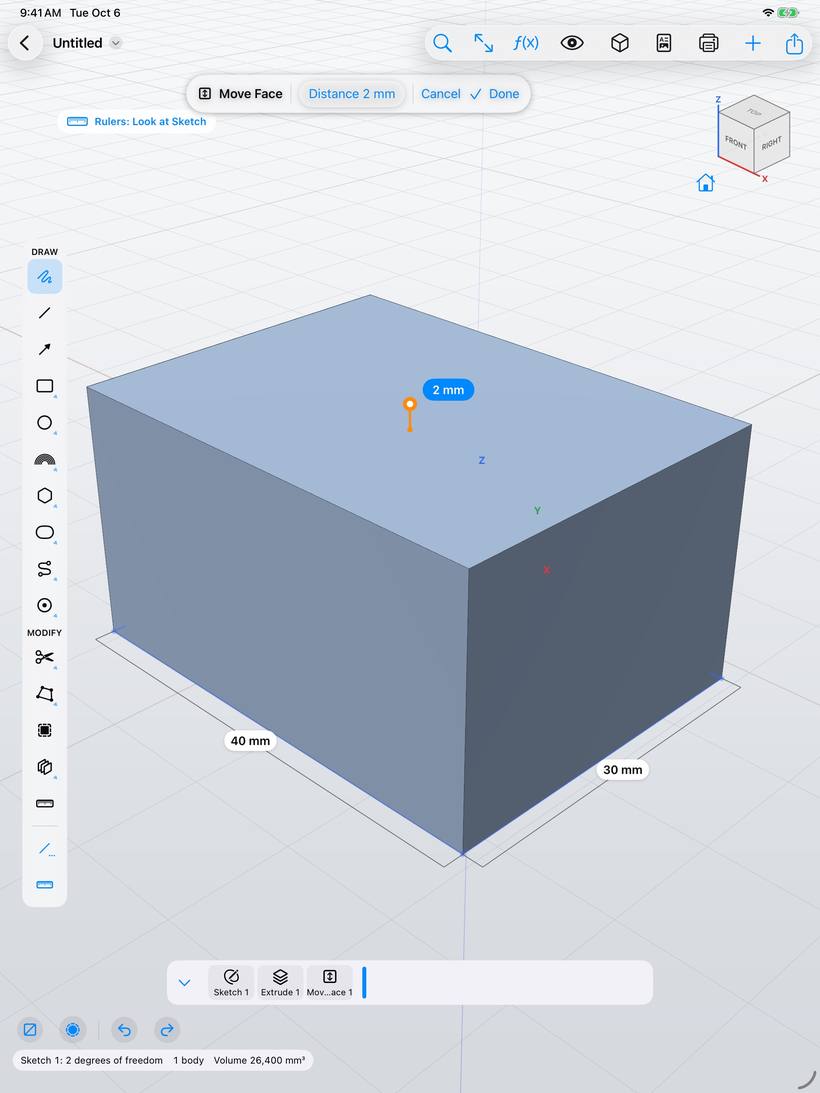
Extrude, revolve, sweep and loft. Fillet, chamfer, shell, draft, holes and threads – values on arrows right on the model.

Moving a face of a block by 2 mm with an arrow
History

Change your mind. Any time.

Every step is a feature on the timeline. Edit one and everything after it rebuilds. Roll back, reorder, suppress.

Assemblies

Parts that move together.

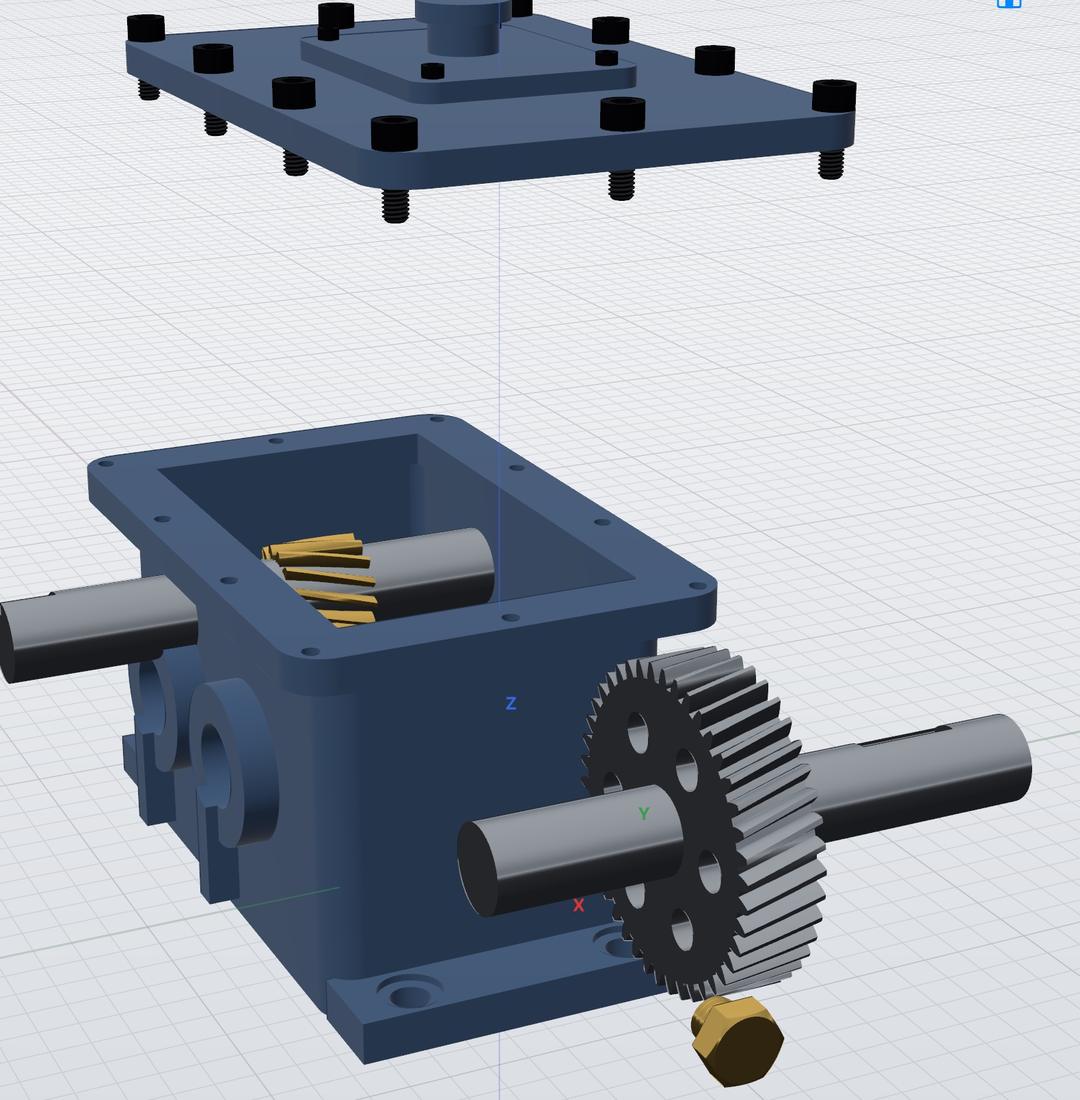
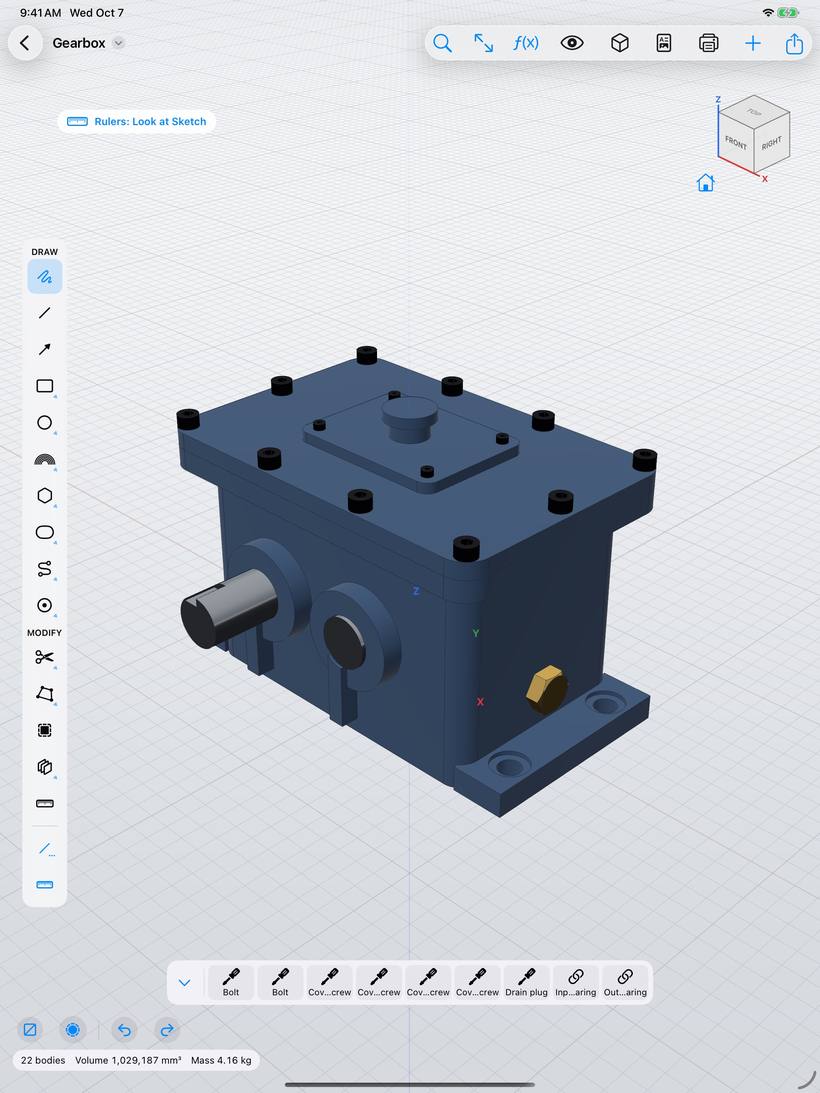
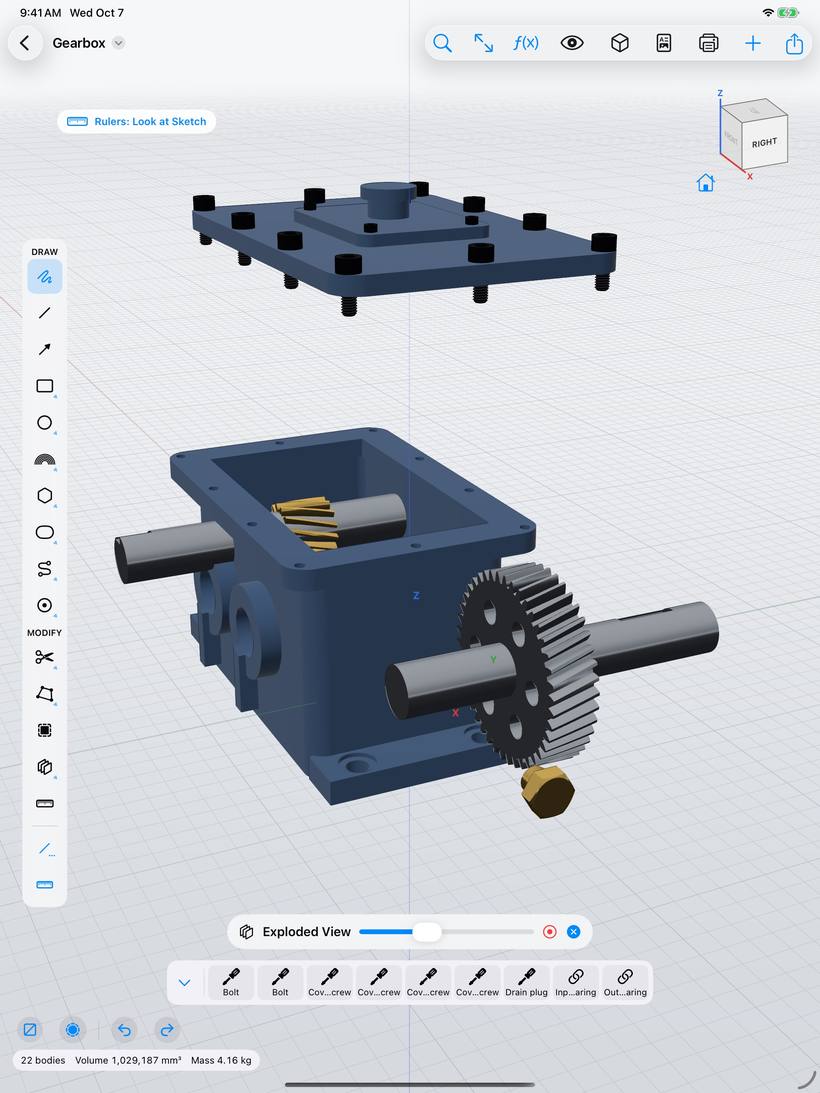
Components, joints and align. Exploded views, interference checks and motion studies – a 22-part gearbox runs smoothly on an iPad.

Exploded view of a gearbox with the lid lifted and the gear shaft pulled out
Manufacture

From model to machine.

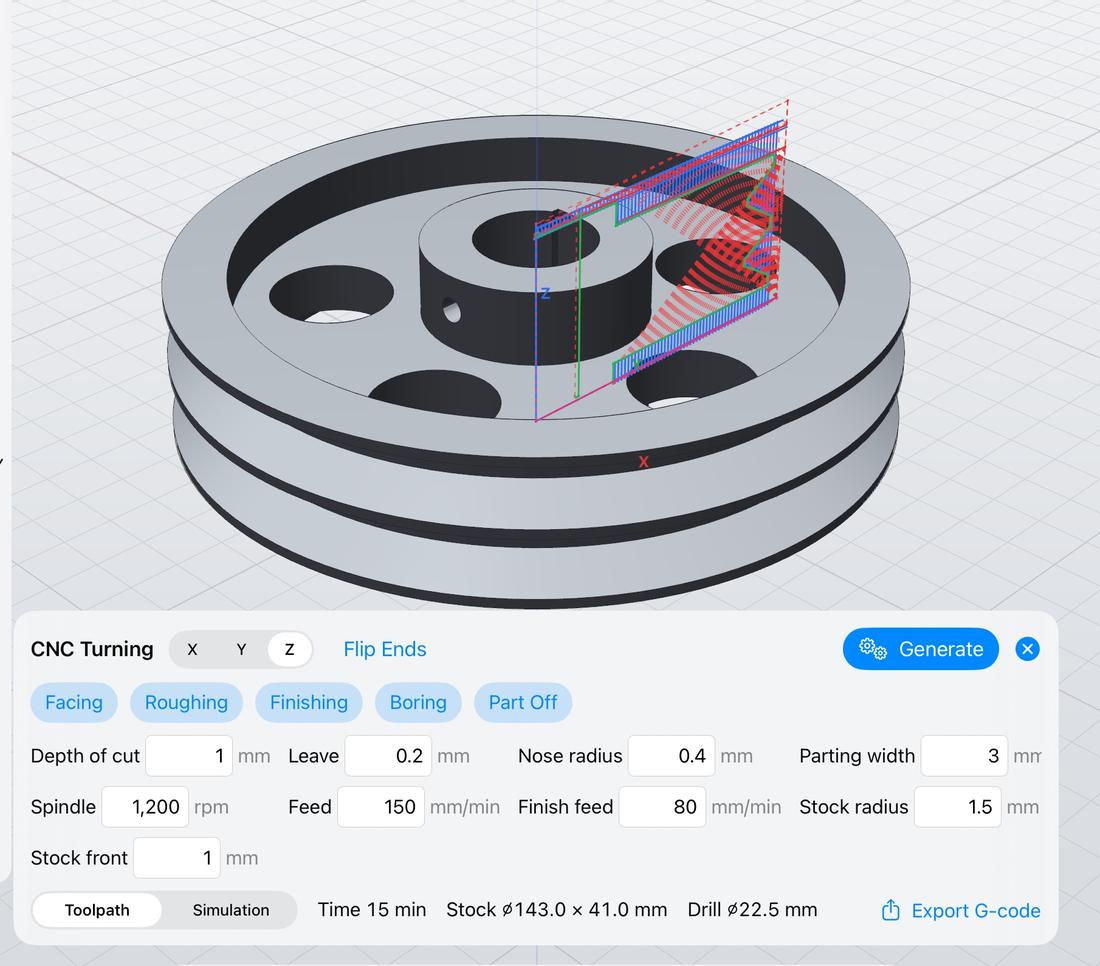
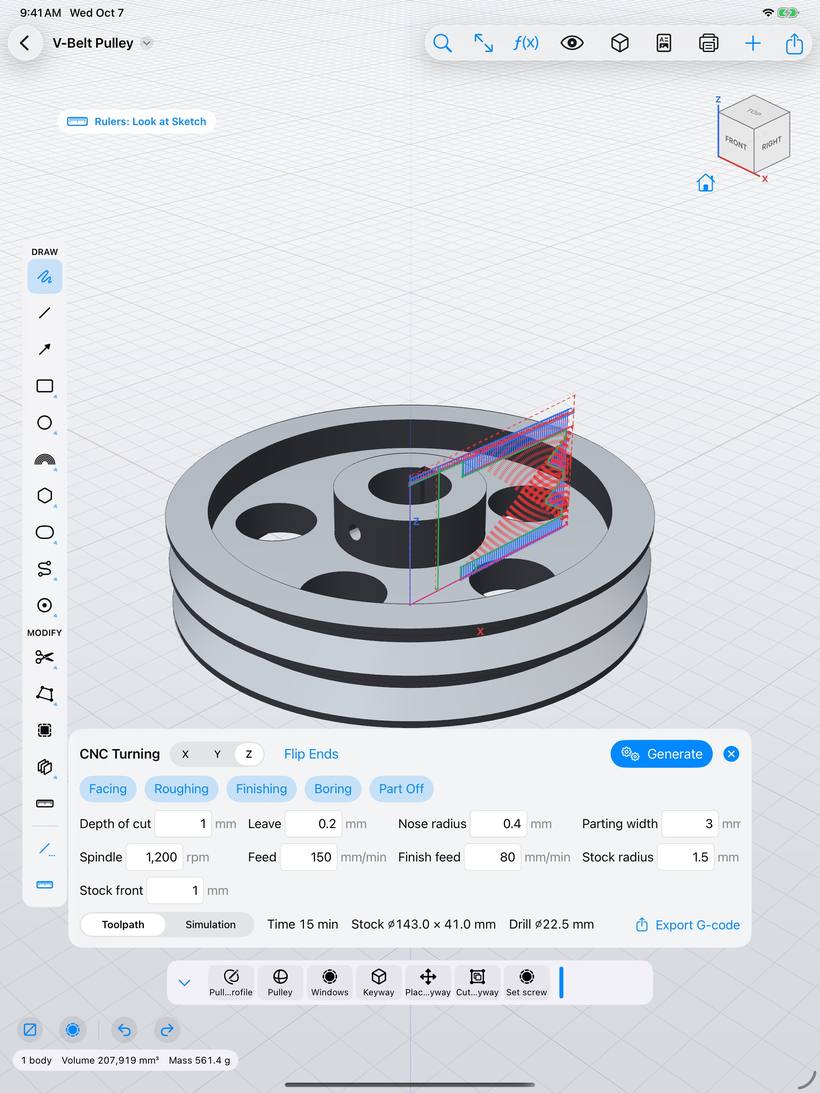
CNC milling and turning tool paths with simulation and G-code export. Sheet metal with flat patterns, 3D-print-ready STL and 3MF.

CNC turning tool path on a V-belt pulley with facing, roughing and finishing settings
Simulate

Know before you build.

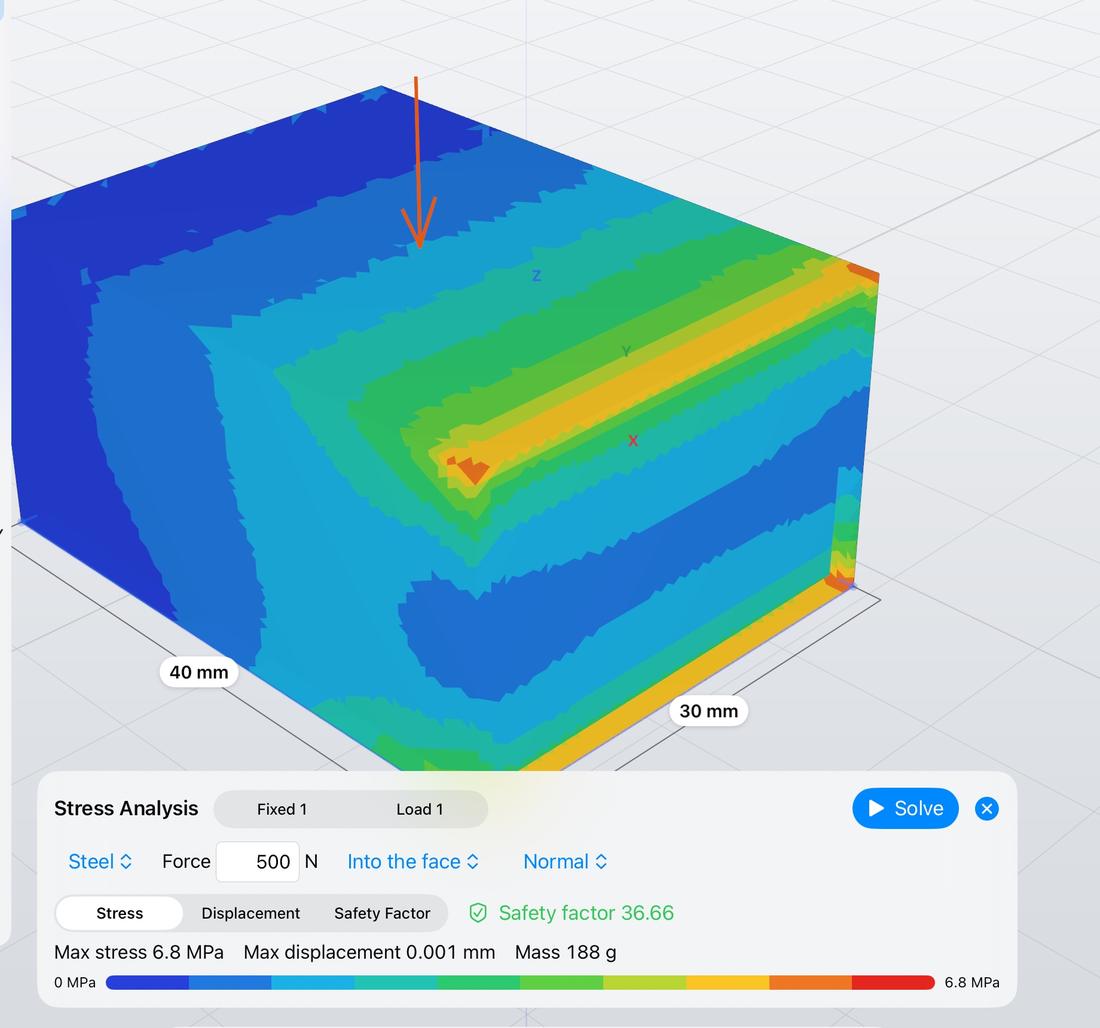
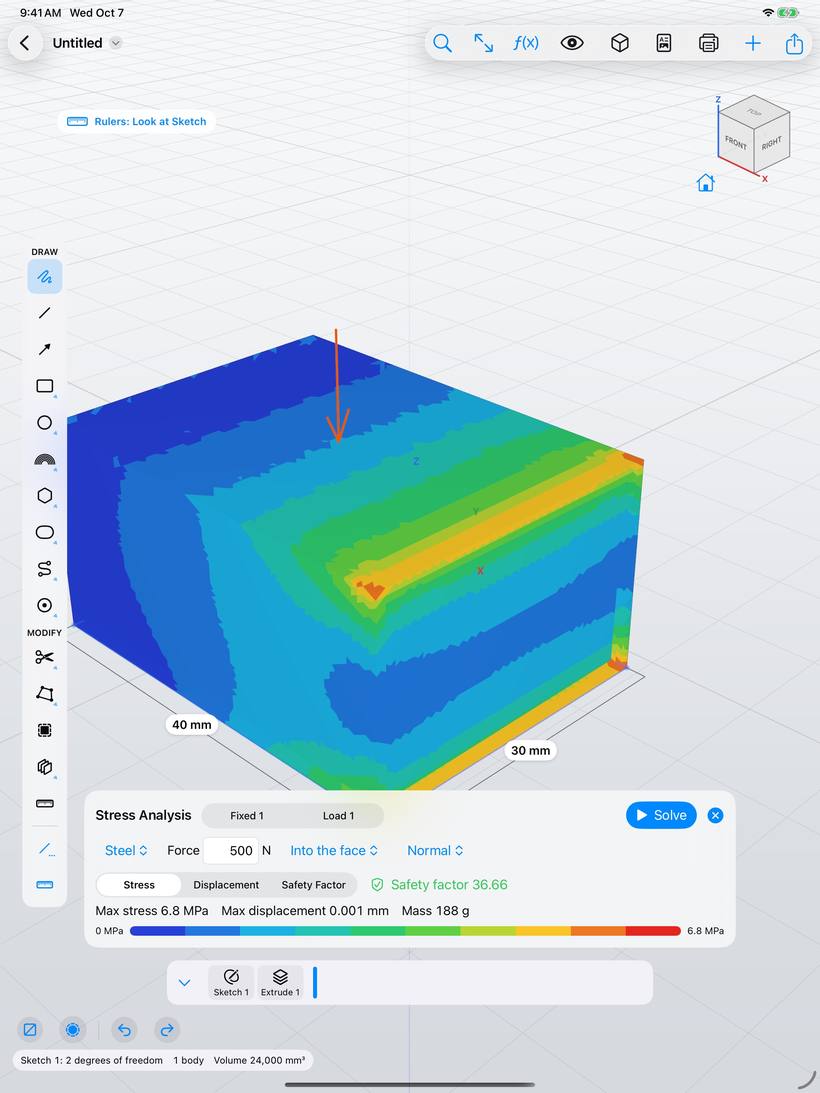
Stress analysis with loads and supports, displacement and safety factor. Generative design suggests lighter shapes.

Stress analysis of a block with a force; colours from blue to red show the stress
Inspect

See inside.

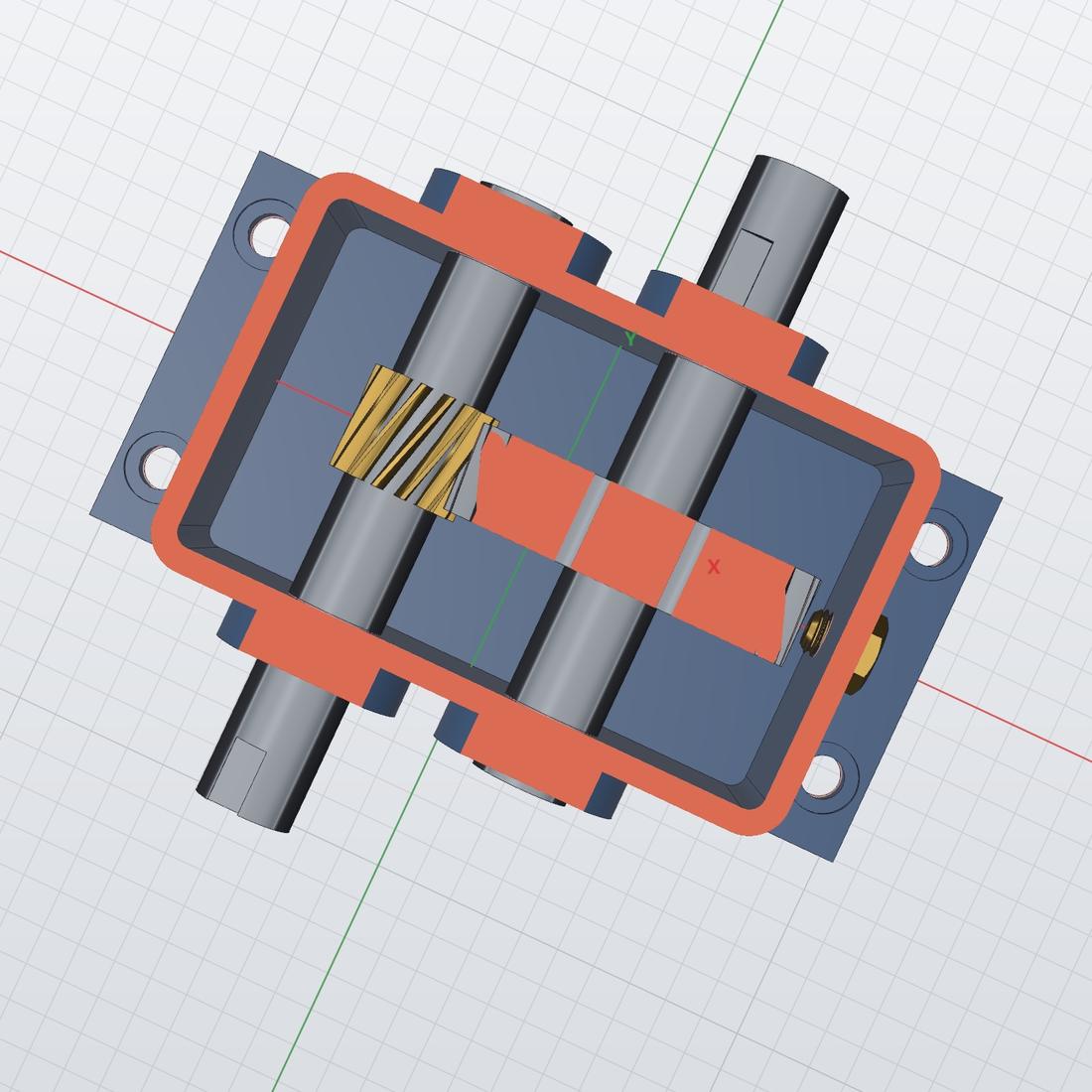
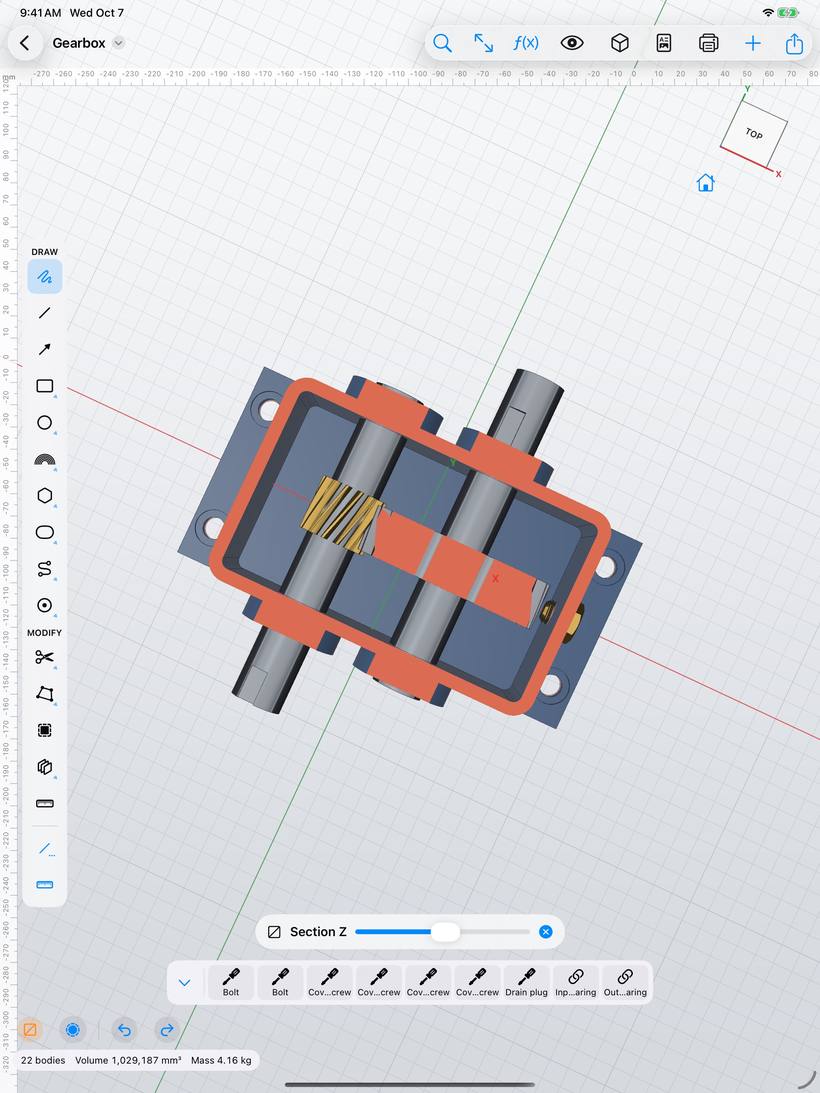
Live section planes, X-ray, measuring and mass properties.

Section through a gearbox housing showing gears and shafts
Document

Drawings in one tap.

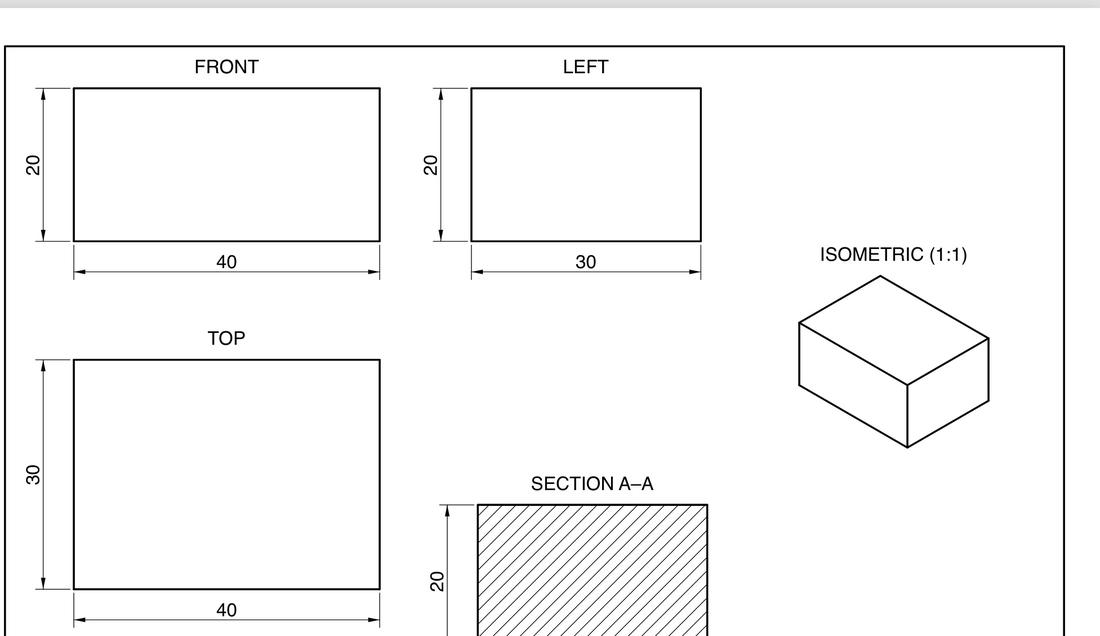
Views, sections, dimensions and a title block. Export as PDF or DXF.

Technical drawing with front, left, top, isometric views and section A–A
Present

Render and AR.

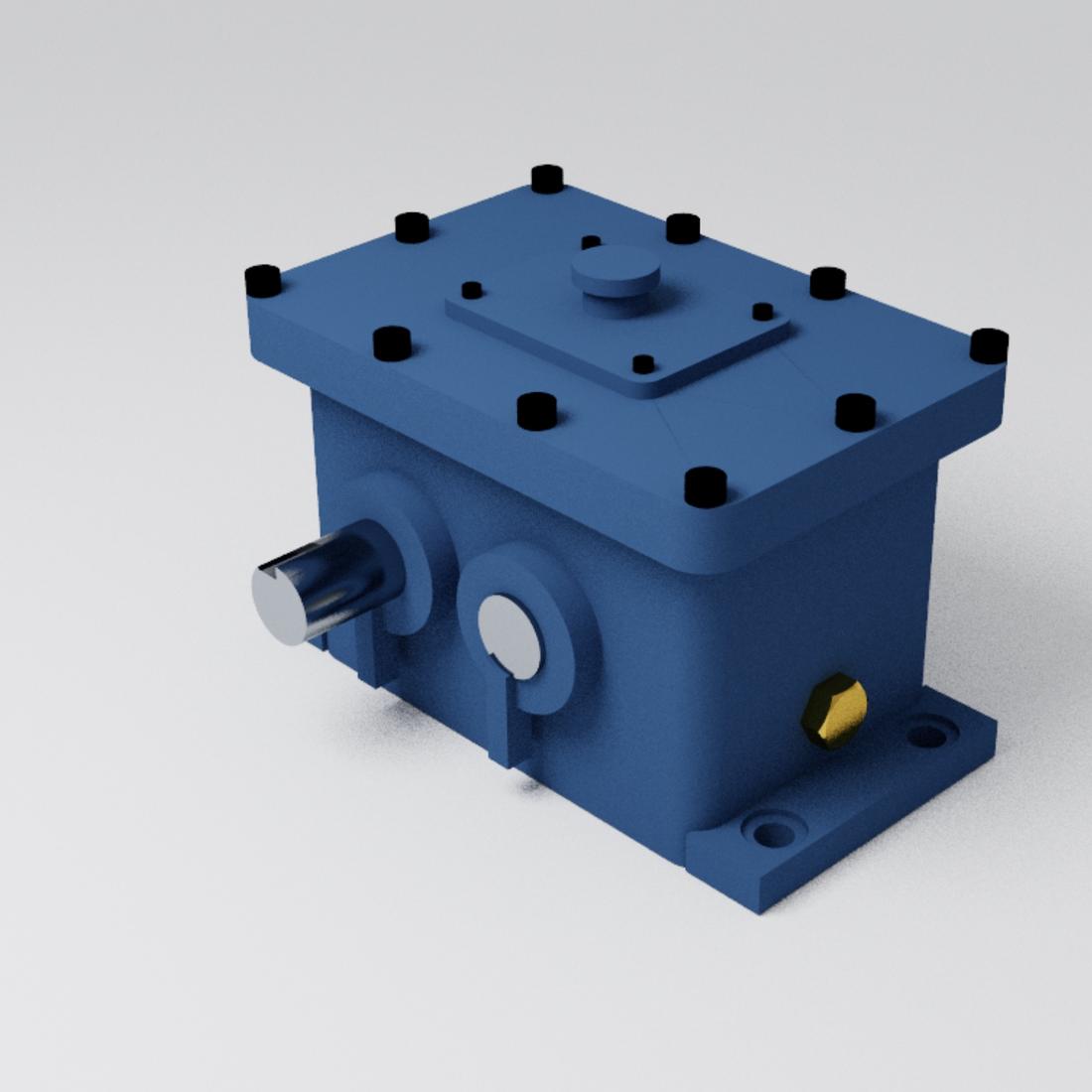
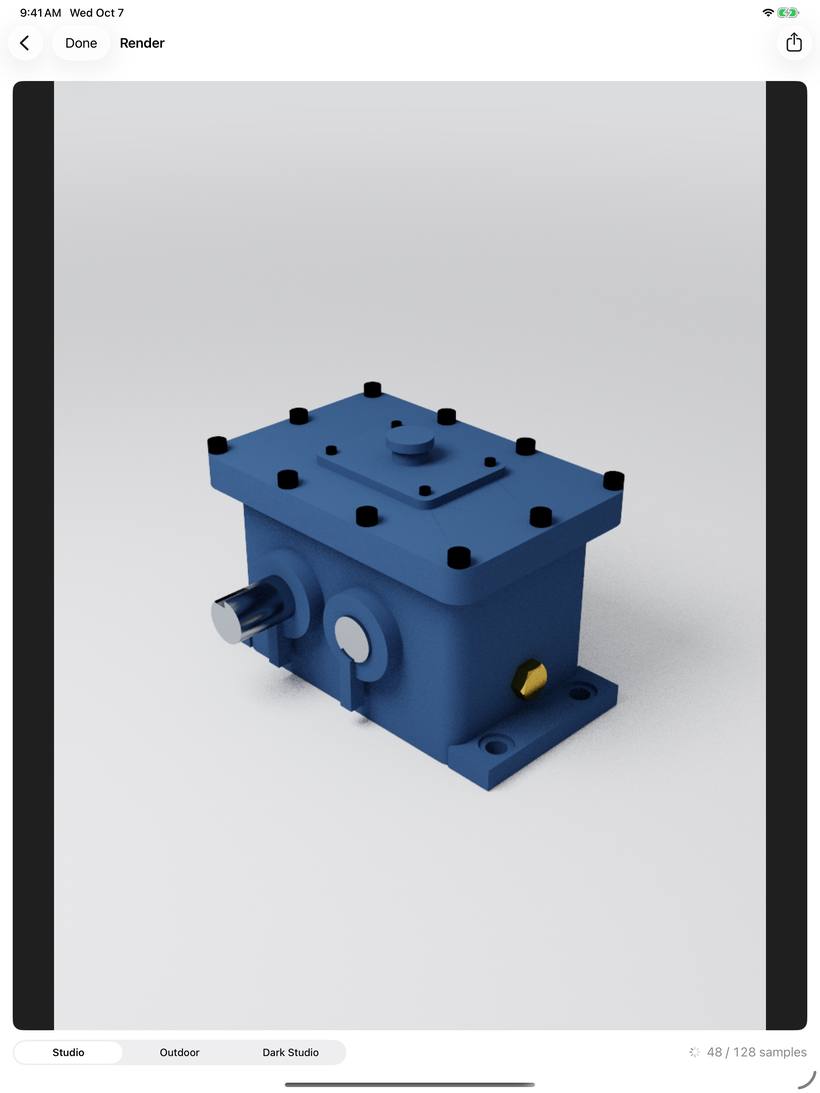
Photoreal renders in studio light, and your design on the table in augmented reality.

Photorealistic render of a blue gearbox
And much more

Specialised tools, built in.

No plug-ins to buy. These come with the app:

Sheet metalPlastic part featuresRibs & websGears Bolts, nuts & washersStandard threadsElectronics boardsForm (sculpting) SurfacesMesh repairPhoto underlay to traceParameters & expressions PatternsEmboss textAlignMove face
The complete list

Everything it does.
All in one app.

25 areas, 156 features – no plug-ins, no add-ons, all built in. Type to find one.

01

Sketch tools

10
  • Freehand drawing – lines, rectangles, circles and arcs are recognised
  • Lines and endless guide lines
  • Rectangles: 2 corners, from centre, 3 points
  • Circles: centre, 2 points, 3 points, tangent to 2 or 3
  • Arcs: 3 points, tangent, from centre
  • Ellipses and conic curves
  • Polygons: inscribed, circumscribed, by edge
  • Slots: overall, centre, arc slot
  • Splines through points or by control points
  • Points and text in any font
02

Precision input

7
  • Snaps to ends, midpoints, centres, intersections and the grid
  • Live guides when level or in line with other points
  • Relations added automatically while you draw
  • Built-in keypad with expressions and parameters
  • Values on arrows and arcs right on the model
  • Rulers and units: mm, cm, m, in
  • Pencil hover preview of the snap point
03

Dimensions & constraints

7
  • Real constraint solver (planegcs)
  • Suggested dimensions where they define something
  • Horizontal, vertical, parallel, perpendicular, collinear
  • Equal, tangent, curvature (G2), concentric
  • Coincident, on curve, midpoint, symmetric, fix
  • Degrees of freedom shown live
  • Conflicting and repeated constraints explained
04

Sketch editing

9
  • Trim, extend and split
  • Sketch fillet and chamfer
  • Offset whole outlines
  • Project body edges, intersect bodies
  • Move, rotate, scale and mirror
  • Rectangular and circular sketch patterns
  • Construction geometry and parallel guides
  • Text on a curve, spline handles
  • Sketch on any face, its edges as references
05

Solids

7
  • Extrude: distance, symmetric, through all, to face
  • Revolve
  • Sweep with twist and guide rail
  • Loft with guides, smooth or ruled
  • Primitives: box, cylinder, sphere, torus, coil, pipe
  • Rib and web
  • Join, cut or intersect chosen automatically
06

Modify

10
  • Holes: simple, counterbore, countersink, tapped
  • Real ISO threads on shafts and holes
  • Shell – offers the thickest wall that works
  • Move face – neighbours stretch to follow
  • Draft with an angle arc
  • Full round fillet
  • Emboss and engrave, also wrapped on cylinders
  • Split face, split body, delete and replace face
  • Taper hole
  • Join, subtract, intersect – keep tool bodies
07

Fillets & chamfers

6
  • Fillet and chamfer edges, several at once
  • Chamfer: equal, two distances, distance and angle
  • Variable radius fillets
  • Tangent chains with a double tap
  • All edges around a face or of a body
  • Too big? It suggests the largest value that works
08

Arrange & patterns

5
  • Move and rotate bodies with arrows and rings
  • Align face to face – gap, turn, centred
  • Linear, circular and on-path patterns
  • Pattern features: holes, cuts, bosses
  • Switch single copies off
09

Construction geometry

4
  • Offset plane, plane at angle, midplane
  • Plane through 3 points, tangent plane, plane along path
  • Axes through cylinders or two points
  • Points and 3D paths
10

History & parameters

7
  • Full timeline: edit, rename, suppress, reorder
  • Roll back to any step
  • Edit a feature straight from the model
  • Named parameters and expressions
  • Every value as d1, d2 … in one table
  • Configurations – switch between variants
  • References follow faces by name, not by index
11

Standard parts

5
  • Gears: spur, helical, ring, rack, bevel, worm
  • ISO hex bolts and socket cap screws
  • Nuts, washers and threaded rods
  • Bolts pick their size from the hole
  • Print clearance for printed threads
12

Form & surfaces

7
  • Free-form shapes from box, cylinder, sphere, plane, torus
  • Turn any body into an editable form
  • Surface extrude, revolve and sweep
  • Patch, patch opening, boundary fill
  • Offset, extend and trim surfaces
  • Ruled surfaces, fillet between surfaces
  • Stitch and thicken into solids
13

Sheet metal

6
  • Sheet parts with flanges, hems and second flanges
  • Relief or mitre corners
  • Lofted flanges – square duct to round
  • Bend along a line
  • Formed embosses: beads, pads, louvres
  • Flat pattern for cutting, as DXF
14

Plastic parts

4
  • Screw bosses with support ribs
  • Snap-fit hooks
  • Lip and groove for lids
  • Draft analysis for moulds
15

Meshes

5
  • STL, OBJ and 3MF become solids you can edit
  • Smooth scans
  • Repair: close holes, fix normals
  • Reduce and remesh
  • To prismatic – faceted STL back to real faces
16

Assemblies

6
  • Components, instances and rigid groups
  • Joints: face to face, concentric, ball, pin in slot
  • Drag parts against each other
  • Motion study with stop at contact
  • Exploded view
  • Interference check
17

Inspect & display

7
  • Measure length, distance, angle, radius, area
  • Volume and mass from materials
  • Live section along X, Y or Z
  • Shaded, edges, wireframe, X-ray, realistic
  • Zebra, draft and curvature analysis
  • Browser: show, hide, lock, isolate
  • View cube, perspective or orthographic
18

Render, AR & video

5
  • Photoreal render: studio, outdoor, dark studio
  • Materials: PLA, PETG, aluminium, steel, brass, oak …
  • Finishes: matte, satin, glossy, metal
  • View in AR, life-size on your desk
  • Motion, exploded, turntable and assembly videos
19

2D drawings

6
  • Standard, isometric and section views
  • Detail, auxiliary and break views
  • Dimensions: aligned, diameter, ordinate, chain
  • Hole tables with threads
  • Geometric tolerances, datums, surface finish, welds
  • Title block, export to PDF or DXF
20

3D printing

6
  • Printability check: overhangs and thin walls
  • Printer bed, drop and lay flat on a face
  • Split parts that are too big
  • Print time and filament estimate
  • Fit clearances as parameters
  • 3MF with colours
21

Simulation

4
  • Stress analysis: von Mises stress
  • Displacement and safety factor
  • Steel, aluminium, titanium, plastics, wood
  • Generative design – topology optimisation
22

CNC machining

5
  • 3-axis milling: roughing and finishing
  • 3D finishing with a ball-nose mill, drilling
  • Lathe: facing, roughing, finishing, boring, part off
  • Stock simulation and tool path preview
  • Time estimate and G-code export
23

Electronics

4
  • PCB boards from any outline
  • Real-size parts: 0805, SOT-23, SOIC-8, LEDs …
  • Pin headers, screw terminals, USB-C, ESP32
  • Design the enclosure around the board
24

Import & export

6
  • STEP and IGES – exact solids
  • STL, OBJ and 3MF meshes
  • DXF and SVG as sketches
  • Photos as a calibrated background
  • USDZ for AR, PDF drawings, G-code
  • Export only the selected bodies
25

Pencil, touch & keyboard

8
  • Pencil Pro squeeze opens the tool palette
  • Double tap action of your choice
  • Two-finger undo, three-finger redo
  • Draw with a finger – no Pencil needed
  • Keyboard shortcuts for tools and views
  • Find a Tool – type any command
  • Built-in manual and tutorial in English and Czech
  • Light and dark appearance
Works with everything else

Open in. Open out.

Bring in parts from other CAD tools and send your designs to printers, machines and colleagues. Imported STEP files are real solids you can keep editing.

Import

STEPIGESSTLOBJ3MFDXFSVGPhotos

Export

STEPIGESSTLOBJ3MFUSDZDXFPDFG-code
Private by design

Your designs stay yours.

Pyrite CAD collects nothing. Your work lives in the Files app – on your iPad or in your iCloud Drive.

No accountOpen the app and start designing. Nothing to sign up for.
No trackingNo analytics, no advertising, no servers of our own.
Works offlineIn the workshop, on a plane, anywhere. No internet needed.
Under the hood

Serious geometry.
Native speed.

A custom Metal renderer at 120 Hz on top of proven open-source engineering libraries. Geometry runs in the background, so drawing never stutters.

Open CASCADE Technology

The industrial boundary-representation kernel behind exact solids, fillets, booleans and STEP exchange.

planegcs

The geometric constraint solver that keeps your sketches exactly as you dimensioned them.

Manifold

Fast, robust mesh booleans for imported STL and OBJ files and instant previews.

Pyrite CAD app icon

Coming soon to iPad.

Pyrite CAD is in testing now. A built-in manual in English and Czech explains every tool, with pictures and short videos.